
Plant Identifier: Tips & Care
Lutech MosaicEducation
4.03.00 Reviews
- Version
- 3.0.0
- Installs
- 100.00K
- Age Rating
- Everyone
Screenshots
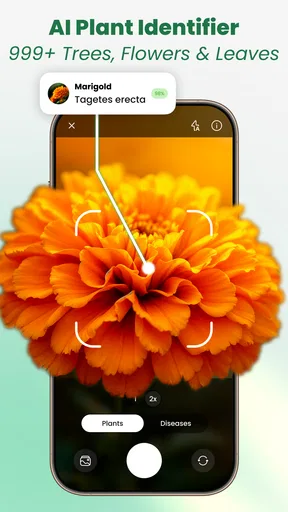
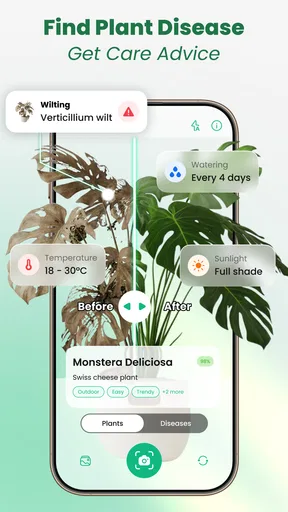
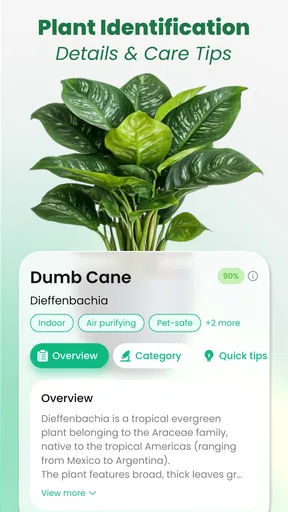
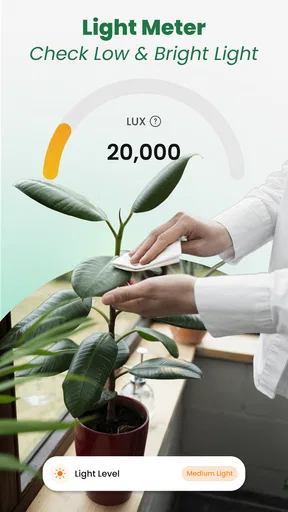
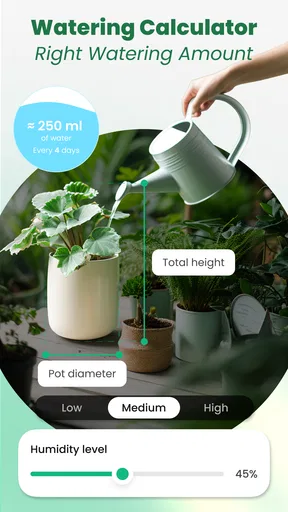
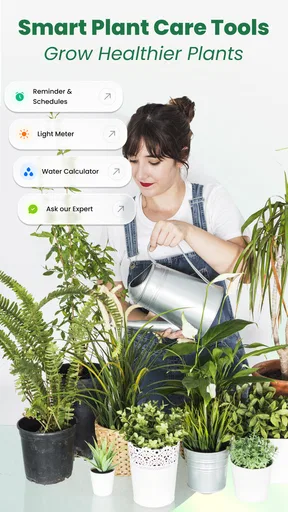
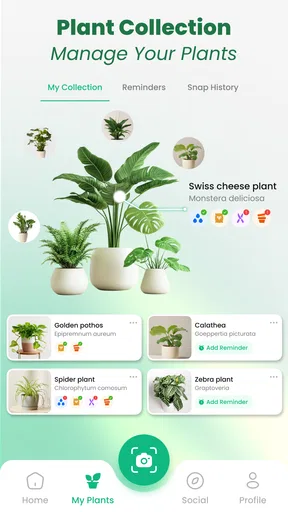
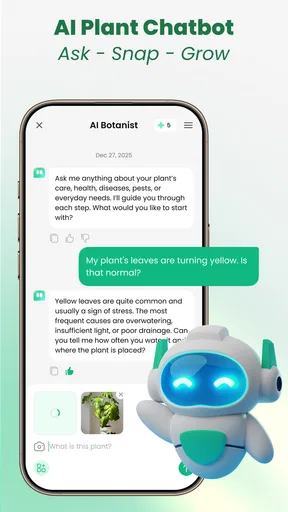
Our Review of Plant Identifier: Tips & Care
 Analysis by Appyee
When I find an unfamiliar plant, my first instinct is usually to take a photo before touching it, moving it, or guessing what it needs. Plant Identifier: Tips & Care is built for that exact starting point: you use a picture as the entry point, then turn a visual guess into practical care guidance. I reviewed it as an education app from Lutech Mosaic, and I found its appeal easy to understand. It is aimed at people who want a quick answer about a flower or leaf without opening several reference pages and trying to match images manually.
The app is free to download and is suitable for Everyone, which makes it approachable for families, casual gardeners, students, and anyone who has just brought home an unknown houseplant. Its store summary also highlights a light meter, so the experience is not limited to naming a plant. The more useful idea is the complete path from observation to action: identify what is in front of you, learn how to care for it, and check whether its surroundings seem appropriate.
From an unknown leaf to a practical care decision
I like to begin with the practical question behind an unfamiliar leaf: what would help me care for it today? This section follows the path from a clear photo to a tentative identification, then considers how care advice and a light check can inform the next step. I’ll also explain why treating the first result as a clue, rather than a final verdict, makes the whole process more useful.
Starting with the right photo
The quality of the first photo matters more than many new users expect. I would not begin with a distant picture of an entire shelf crowded with pots. A single plant, a clear leaf, and even lighting give the identifier a better chance of recognizing the subject. If the plant has a distinctive flower, I would photograph that as well, but I would also keep a leaf image ready because flowers may not always be present.
This creates the first important workflow choice. The app is convenient when I already have a reasonably visible specimen, but it cannot replace a careful look at the plant. Before taking the picture, I check whether the leaf edges, veins, stem, and overall shape are visible. A blurry image can lead to a confident-looking result that deserves more checking. I treat the first identification as a useful lead rather than a botanical certificate.
That habit is especially important with plants that share similar shapes. Several varieties can have comparable leaves while differing in watering, light, or toxicity. I would use the result to narrow the possibilities, then compare the suggested care with the plant’s actual appearance and the conditions where it is growing. The best workflow is identify first, verify second, act third.
Moving from recognition to care
Once the image has been processed, the useful handoff is from a name to a decision. A label alone does not help much if I still do not know whether to place the pot beside a bright window, keep the soil moist, or allow it to dry between waterings. This app’s focus on care and tips makes the result more practical than a simple image-search tool.
I would read the guidance before changing anything. If a plant looks wilted, the obvious reaction is to water it immediately, but wilting can have more than one cause. Poor drainage, root stress, excessive heat, or an unsuitable light level may produce similar symptoms. The identification and care information should therefore be used together with a quick inspection of the soil, pot, and leaves.
A useful everyday example is a plant bought from a market without a label. At home, I photograph it in daylight, review the suggested identity, and then use the care information to decide where it should sit. Instead of placing it automatically on the brightest windowsill, I check whether that position fits the plant’s likely needs. If the app’s light meter is available for the situation, I use it as an additional reference rather than assuming that a bright room is the same as direct sunlight.
Using the light meter as a placement check
The light meter is one of the more interesting parts of the app because it connects the digital result with the physical room. Plant care advice often uses words such as bright, indirect, or low light, while homes vary considerably. A window that feels bright to me may provide very different conditions several steps away, especially with curtains, nearby buildings, or seasonal changes.
I would use the meter at the actual location where the plant will live, not only beside the window. I would also compare more than one spot in the room. That creates a simple handoff: the identifier helps me understand what the plant may be, the care guidance suggests the kind of environment it prefers, and the light reading helps me choose between available places.
There is a trade-off here. A light reading is useful for comparing positions in my home, but it should not be treated as the only factor in plant health. Temperature, watering habits, airflow, pot size, and drainage still matter. The meter is most valuable when it helps answer a specific question such as, “Is the side table too dark compared with the window?” It is less useful if I expect one reading to produce a complete diagnosis.
Keeping the handoff between app and real life simple
Plant apps are easy to use when the information stays connected to a real task. I might identify a plant while shopping, then use the care advice before deciding whether it suits my home. I might photograph a leaf after noticing spots, then use the result to research the likely plant rather than immediately applying a treatment. Or I might help a child identify a flower and use the tips as a starting point for learning how different plants respond to light and water.
In each case, I would keep a small amount of context in mind: where the plant came from, how often it has been watered, and where it currently sits. The app can support the observation, but it does not know every detail of the plant’s history simply from a picture. This is a subtle strength of the workflow because it encourages me to combine visual recognition with ordinary care habits instead of relying on an automated answer alone.
What the result is good for
The most useful outcome is not merely a plant name. It is a shorter path to a sensible next step. If I am deciding whether a plant needs a brighter position, the combination of identification, tips, and light checking can save time. If I am learning the basics, the app can give me a starting vocabulary for further reading. If I am caring for several plants, it can make the first stage of sorting unfamiliar specimens less intimidating.
Its free entry point also makes experimentation easier. I can try it on a plant already in my home before deciding how much I want from the experience. The app has an average rating of 4.0 from around 142 ratings, which suggests a generally positive but not flawless reception. I would interpret that as encouragement to try it, not as a promise that every photo or recommendation will be perfect.
The version I reviewed is 3.0.0 and requires Android 7.0 or later. That makes compatibility worth checking before installing on an older device. The app has passed the 100K-plus install mark, so it is not an obscure experiment with no visible audience, but popularity alone does not solve the central limitation of image-based identification: the input still needs to be clear and representative.
Who will get the most from it
I think this app is a good fit for beginners who regularly encounter plants without labels. It is also useful for renters or office workers trying to find a better place for a plant without buying a separate measuring tool. Students can use it as an accessible introduction to observing leaves and flowers, while families may enjoy the quick identification process as a small learning activity during a walk.
It is particularly helpful when the problem is uncertainty at the beginning. I do not know the name, I do not know the basic care direction, and I am unsure whether the current location is suitable. The app addresses those three questions in a connected way. That is more practical than a traditional plant book when I need a quick first answer and do not yet know which species to look up.
I would be more cautious about using it as the final authority for rare plants, serious disease diagnosis, or decisions involving safety. A visual suggestion can be wrong, especially when related species look alike. If a plant may be harmful to a child or pet, I would confirm its identity through a dependable botanical or veterinary source before treating the app’s result as sufficient.
Where the flow becomes less reliable
The first break in the workflow happens when the image is poor. Low light, motion blur, unusual angles, damaged leaves, or several plants in the same frame can all make recognition harder. I would retake the photo rather than repeatedly trusting the same weak input. A clean second attempt is often more useful than spending time interpreting an uncertain first result.
The second break comes when the suggested care is too general for the actual situation. A plant in a small pot with compacted soil may need a different response from the same plant in a well-draining container. Advice about light may also need to be adapted when a window receives strong afternoon sun or when the plant is moved between rooms. I see the app as a guide for forming a plan, not as an automatic maintenance schedule.
There is also a financial consideration after the free starting point. In-app purchases range from $4.99 to $59.99 per item. That is a wide range, so I would pay attention to what is included before committing to any purchase. Someone who only wants occasional identification may find the free experience enough, while a frequent plant collector may consider additional options worthwhile. I would not recommend paying until the basic workflow has proved useful on the plants I actually own.
Another limitation is that the app is designed around recognition and care guidance, not around replacing a specialist. If I need a precise cultivar identification, a laboratory-style diagnosis, or advice about a plant with serious symptoms, I would choose a more specialized source. A nursery professional, local horticultural service, or established reference guide may be better when the consequences of a wrong answer are high.
How it compares with ordinary alternatives
The usual alternatives each solve part of the problem. A general image-search tool can find similar pictures, but it may lead me through unrelated results and does not necessarily connect the identification with light or care. A printed guide is excellent for slow comparison and learning visual details, yet it is less convenient when I am standing in a shop or checking a plant at home. Asking a gardening community can produce thoughtful advice, although it takes longer and depends on the quality of the responses.
This app sits between those options. It is faster than manual browsing and more focused than a broad image search. Its advantage is the handoff from the picture to care tips and a light check. Its weakness is that speed can encourage overconfidence. I would choose it for the first pass, then use a book, specialist source, or experienced gardener when the plant is unusual or the decision matters.
The comparison also depends on the user’s habits. If I enjoy studying botanical features, a reference book may teach me more. If I only want to know where to place a common houseplant, the app is likely more convenient. If I need a dependable diagnosis of a declining plant, I would prefer a service that lets me provide extensive context, not only an image. Convenience is its main advantage; careful confirmation remains my responsibility.
A practical routine I would recommend
For the best results, I would follow a repeatable routine. First, I would separate the plant from visual clutter and take a clear photograph in natural or even indoor light. Next, I would inspect the suggested identity instead of accepting the first label automatically. Then I would read the care guidance and write down the one decision that matters most, such as changing position or adjusting watering.
After that, I would check the proposed location with the light meter when the question concerns brightness. I would compare the current spot with one alternative rather than moving the plant randomly. Finally, I would make one change at a time and observe the plant over the following days. This prevents me from changing light, watering, soil, and pot position all at once, which would make it difficult to understand what helped.
That routine is a non-obvious benefit of the app: it can turn vague concern into a small experiment. Instead of asking whether a plant “looks unhappy,” I can ask whether a different location offers more suitable light and whether the care advice matches what I observe. The app does not perform the whole experiment for me, but it gives the process a useful starting structure.
My final view after following the workflow
Plant Identifier: Tips & Care makes the most sense as a practical first-stop education app for people who want to move from an unfamiliar leaf to a reasonable care decision. I like that the experience goes beyond naming by bringing together identification, tips, and a light meter. That combination is especially handy in everyday situations, such as choosing a position for a newly purchased plant or learning why one room may suit it better than another.
I would recommend trying it if you are new to plants, often receive unlabeled cuttings, or want a quicker alternative to searching through pictures manually. I would skip it as a sole authority if you need specialist-level certainty, have a rare specimen, or are making a safety-sensitive decision. The free download makes testing straightforward, while the in-app purchase range means I would explore the basic experience before spending anything.
Overall, my opinion is positive but measured. The app can shorten the distance between “What is this?” and “What should I do next?” Its real value appears when I use the result thoughtfully: take a better photo, compare the suggested identity, measure the actual growing spot, and change one care factor at a time. Used that way, it is a useful companion for everyday plant learning rather than a substitute for observation or expert confirmation.
Verdict
Strengths of Plant Identifier: Tips & Care
- Identifies many common houseplants from a single photo
- Care suggestions are easy for beginners to understand
- Useful tips cover watering, light, and basic maintenance
- Clean interface makes plant checks quick and straightforward
- Can help recognize unfamiliar plants during walks or shopping
Limitations of Plant Identifier: Tips & Care
- Results may be inaccurate with blurry or poorly lit photos
- Rare varieties may not be identified correctly
- Some useful features may require a paid subscription
- Care advice can be too general for specific plant conditions
- Regular use may require an internet connection
Other Releases by Lutech Mosaic
View All
Themie: Wallpapers & Themes
Personalization4.5
Similar Picks in This Category
View All
Duolingo: Language Lessons
Duolingo4.7

Google Classroom
Google LLC2.8

Unacademy: Learn & Crack Exams
Unacademy3.2

Bible App for Kids
Life.Church4.4

Cake - Learn English & Korean
Cake Corp.4.7

Brainly: AI Homework Helper
Brainly4.5
Frequently Asked Questions
What is Plant Identifier: Tips & Care, and what can it identify?
Plant Identifier: Tips & Care is designed to help users recognize plants by analyzing photos taken with a phone camera or selected from the gallery. It can provide information about many common flowers, trees, herbs, succulents, and houseplants. Identification results may include the plant’s name and basic care guidance, although accuracy can vary depending on image quality, the plant’s condition, and how clearly its leaves, flowers, or stems are visible.
How accurate is Plant Identifier: Tips & Care?
The app can be useful for obtaining a quick plant identification, especially when you photograph a clear, well-lit image showing distinctive features. However, it should not be treated as a professional botanical diagnostic tool. Similar species can be difficult to distinguish, and results may be less reliable when the photo is blurry, taken from far away, or shows only one unclear part of the plant. It is wise to compare the result with trusted references.
Does the app provide plant care advice after identification?
Yes, Plant Identifier: Tips & Care is intended to offer more than a name. After identifying a plant, users may find practical information related to watering, sunlight, soil, temperature, and general maintenance. The recommendations are helpful for beginners who need a starting point, but plant care can depend on local climate, pot size, season, and the plant’s current health. Always adjust the advice to your specific growing conditions.
Is Plant Identifier: Tips & Care free to download and use?
The application may be available to download at no initial cost, but some features can be restricted behind advertising, in-app purchases, or a subscription, depending on the current version and platform. Before confirming a trial or payment, review the pricing screen, renewal terms, and cancellation instructions carefully. App-store listings can change over time, so users should verify the latest conditions on Google Play or the Apple App Store.
What permissions and information does Plant Identifier: Tips & Care require?
To identify plants from photographs, the app will typically request access to the device camera and, if you choose an existing image, the photo library or selected media. These permissions are relevant to its main function, but you can manage them through Android or iOS privacy settings. Before using the app, check its store privacy section to understand whether photos, usage data, or other information may be collected or shared.
